How to Do Secret Santa Online Without Emails or an App
Run a Secret Santa draw for your office, family or friends without collecting email addresses: everyone gets a private link that shows only who they're buying for.
· 4 min read
Drawing names from a hat works when everyone's in the same room. When your group is an office team, a family spread across several cities or a chat full of friends, it's easier to draw online. Here's how to run a Secret Santa draw that needs no email addresses, accounts or app, and how to handle the tricky parts: couples, small groups and keeping the secret.
Agree on the rules first
A few decisions now save awkward messages later. Settle them before you draw, because the draw can put them in everyone's link:
Who's in. Collect every name first. Adding someone after the draw means drawing again.
The budget. A clear amount, like $25, stops one person spending far more than everyone else.
The date. When and where gifts are swapped, or the date to post them by if you're far apart.
Anything else. A theme, "wrapped and labelled" or "no gift cards": one short note that everyone sees.
If your list of names comes from a sign-up form or a spreadsheet, check it for repeats first. Paste it into Remove Duplicates to strip out any repeated lines.
Draw names in four steps
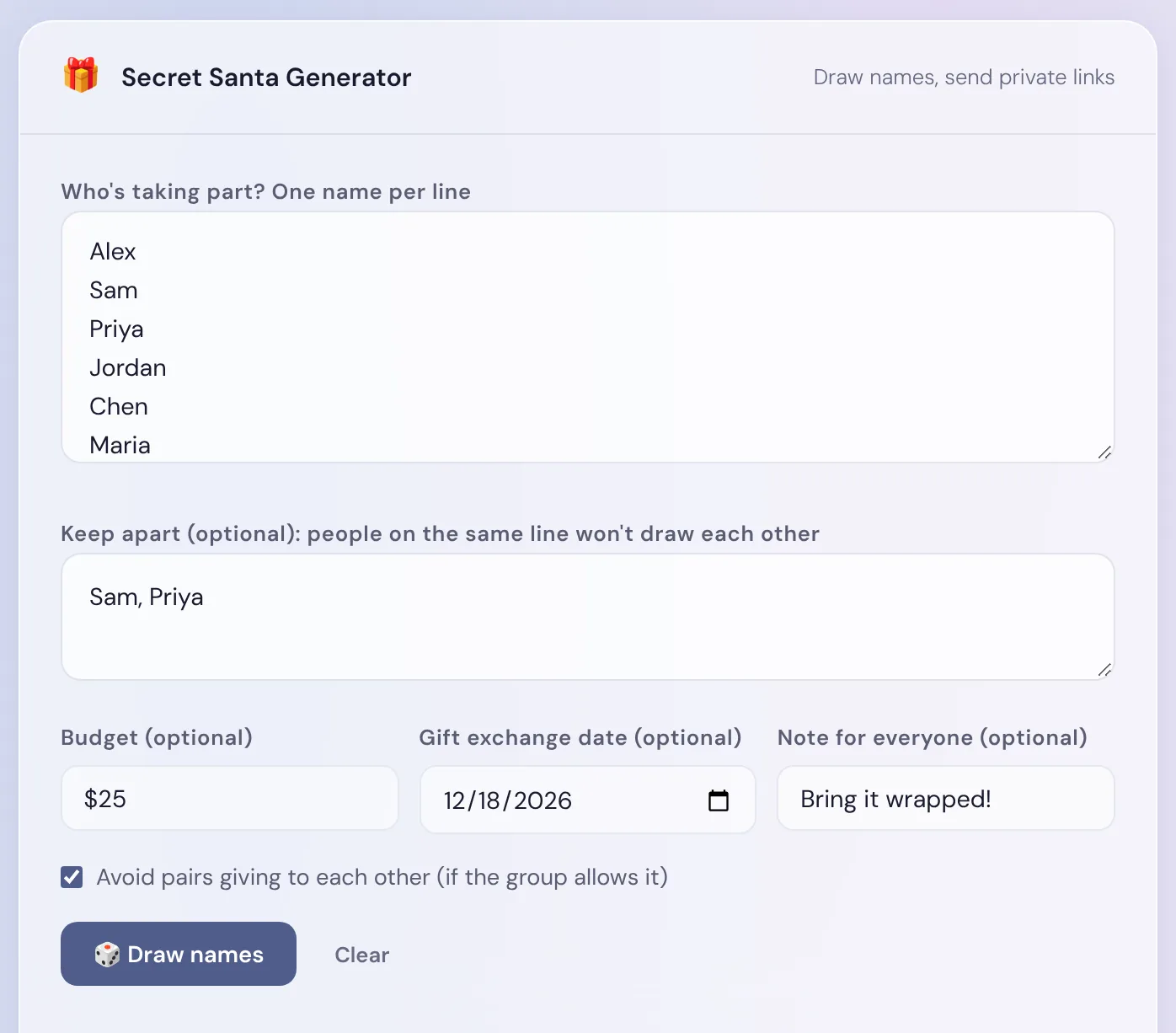
Open the Secret Santa Generator and type each person's name on its own line. Every name has to be different, so if two people share a name, add an initial: "Alex K." and "Alex M."
If some people shouldn't draw each other, put them on the same line in the Keep apart box, separated by commas, for example "Sam, Priya" for a couple. A line can hold a whole household, and you can add as many lines as you need.
Optional: add the budget, the gift exchange date and a note for everyone. Each person's link will show them.
Click Draw names. You get one private link per person, with a Copy link button next to each name, and on phones and other devices that support sharing, a Share button too.
Six made-up names, with Sam and Priya kept apart, a $25 budget, a date and a note.
The draw happens in your browser, using its built-in secure random number generator. Nobody can draw their own name, and with the rule above, Sam can't get Priya and Priya can't get Sam. Each click is a fresh draw.
Send each person only their own link
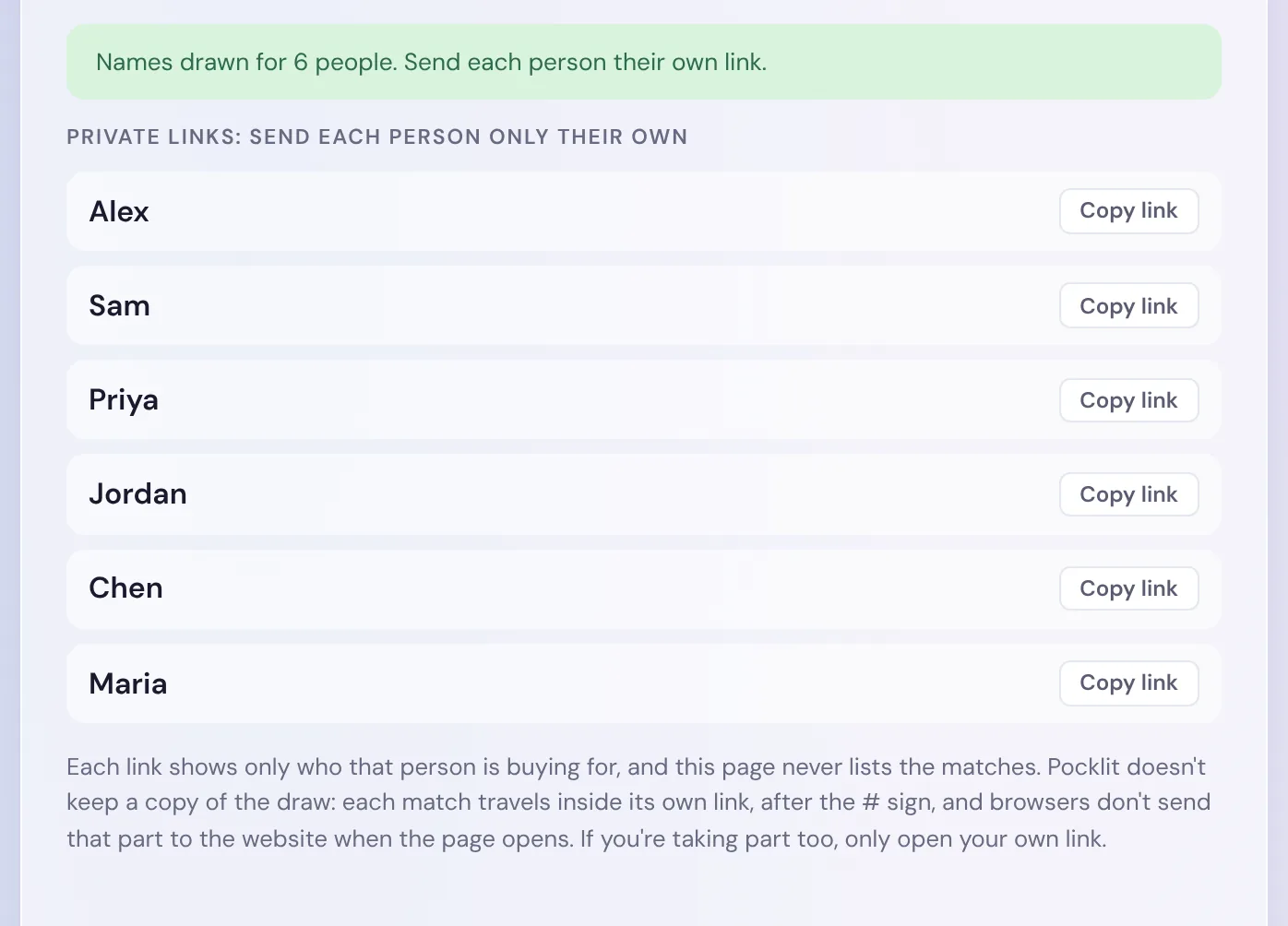
After the draw, the page lists each name with its link, but not who they drew: the matches never appear on the page. Send each link in a private message, by text, WhatsApp or email, and never in the group chat, because anyone who opens a link sees that person's match.
After the draw: one link per person, and no matches on the page.
A few things worth knowing before you send them:
The link is the secret. Each match is stored inside its own link, after the # sign. It's written in a code that isn't readable at a glance, but it isn't encrypted, so treat each link like a folded slip of paper and give it only to its owner.
Taking part yourself? As the organizer you have every link, so the draw works on trust: copy and send the links without opening them, and open only your own.
Keep the page open until everyone has their link. Pocklit doesn't keep a copy of the draw, so if you close the page and a link goes missing, you'll need to draw again.
Drawing again changes every link. Old links keep showing the old match, so if you redraw, send everyone their new link and ask them to ignore the old one.
What each person sees
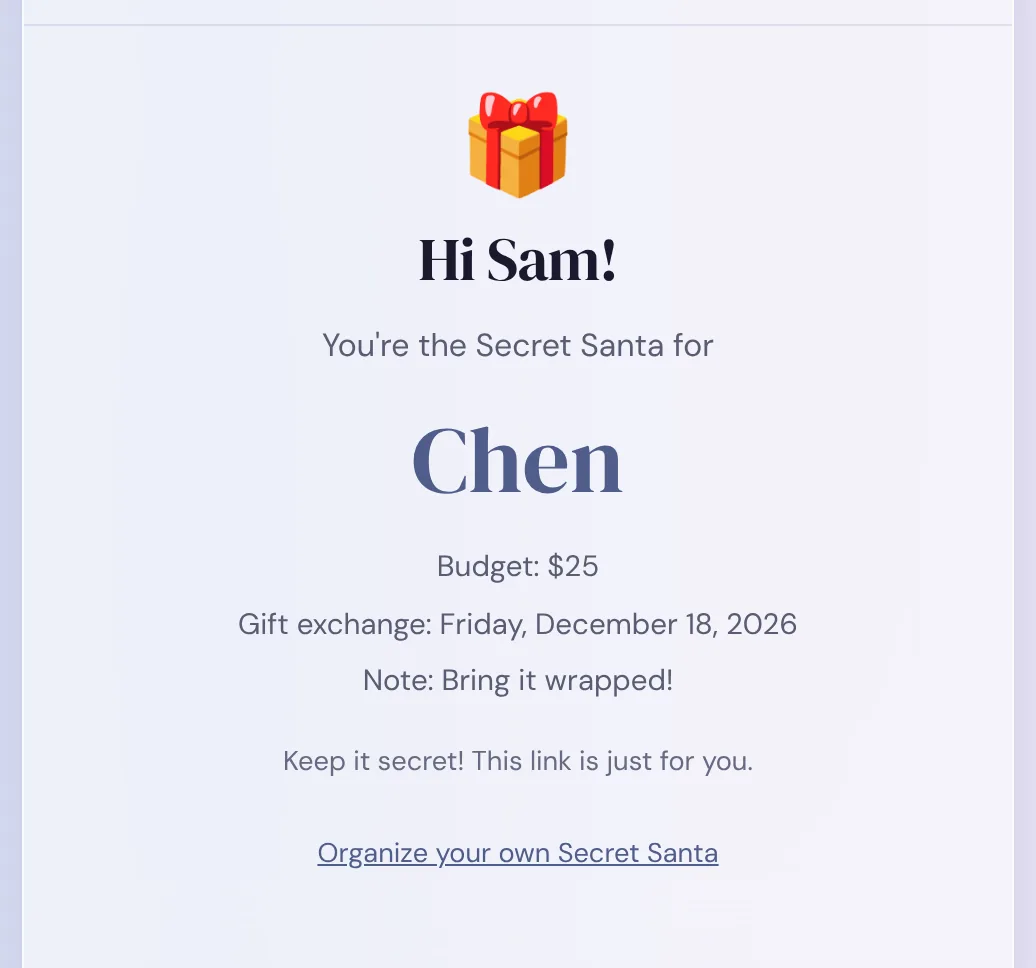
When someone opens their link, the page greets them by name and waits for a tap before showing the match, so nobody reading over their shoulder sees the answer by accident. After the tap, it shows who they're buying for, plus the budget, the date with its day of the week, and the note, if you added them.
Sam's link after the tap: Chen, a $25 budget, the exchange date and the note.
Nobody needs to sign up or install anything: the link opens in the browser on a phone or a computer. There's also a link at the bottom for anyone who wants to organize their own draw.
Couples, small groups and odd numbers
Odd numbers are fine. Secret Santa isn't done in pairs. Everyone gives one gift and receives one, so a group of 5, 7 or 9 works just as well as an even number.
No swaps. In a group of four or more, the generator avoids two people drawing each other, where Sam buys for Chen and Chen buys for Sam. If your Keep apart rules leave no other option, it allows a swap and tells you so.
Three people can't keep a secret. With three, there are only two possible draws, and both are a single circle. Once you know who you're buying for, you can work out who's buying for you. It still works as a gift exchange, just not a secret one.
Households that are too big. If one Keep apart line holds more than half the group, no draw can keep them all apart: they'd all have to buy for the few people outside the line. The generator says so instead of quietly breaking a rule. Split the line, or invite more people.
Running it for a group that's far apart
For a remote team or family, use the date as a "post by" deadline and agree how gifts will reach people before you draw. If some people would rather not share a home address, an e-gift or opening gifts together on a video call keeps it simple. Put whatever you decide in the note, so it's in everyone's link.
Hosting the exchange at home instead? A WiFi QR code for your guests saves spelling out the password all evening.
Frequently asked questions
Do people need an email address or an app?
No. You type the names, draw, and send each person their link however you like: a text, WhatsApp or email. They open it in a browser and tap to see who they're buying for.
Can people add a wish list?
Not in this tool. You can add one note that everyone sees, such as the budget rules or where to share gift ideas.
Does Secret Santa work with an odd number of people?
Yes. Everyone gives one gift and receives one, so any group of three or more works. With exactly three, though, people can work out who's buying for them.
What if someone loses their link?
Copy it again from the results list if the draw page is still open. Pocklit doesn't keep a copy of the draw, so once the page is closed, the only fix is to draw again and send everyone new links.